
Built for engineering & product teams
Stop writing meeting recaps. Start shipping code.
Standups, sprint planning, incident reviews, 1:1s: LASK listens, transcribes, and drafts the recap and action items so you can close the tab and get back to what you were actually building.
No credit card required, free plan included
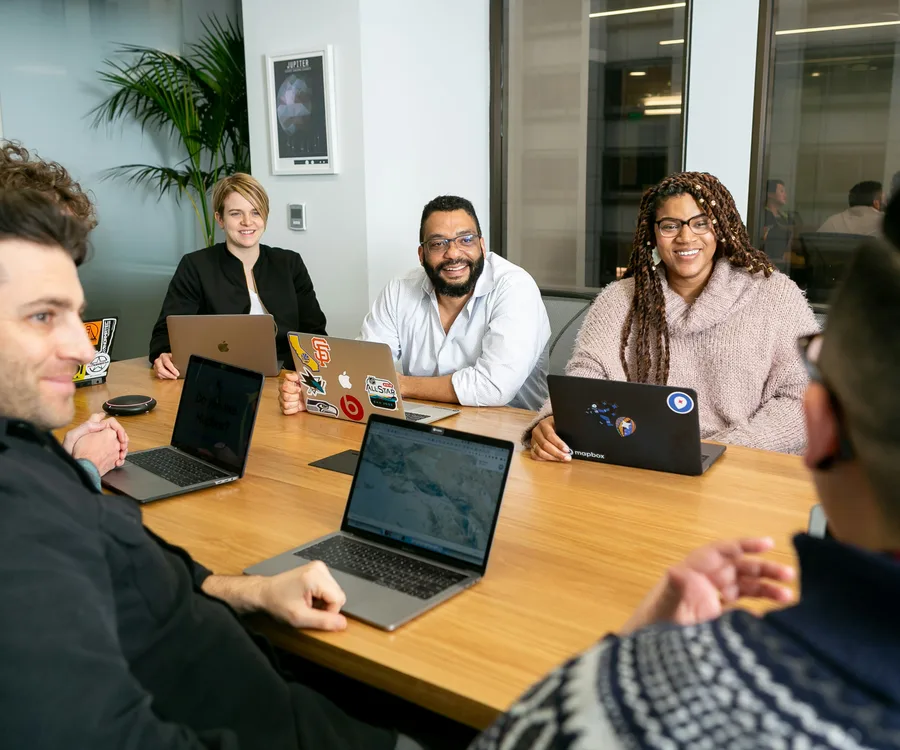
Built around how engineering teams actually meet
Standups shouldn’t need a scribe
LASK sits in on the daily and drafts who said what, what’s blocked, and what’s next, so nobody has to stop coding to take notes.
Action items that land where your team already works
Push recaps straight to Notion or ping the channel in Slack the moment a recap is ready, with no copy-pasting into a doc nobody opens again.
A searchable history of every sprint
Every planning session, retro, and incident review becomes a structured, searchable record, not a transcript nobody has time to re-read.
What LASK does
Built to actually replace your note-taking, not just record it
Every feature below exists because a generic meeting-notes tool wasn't precise enough for the industries LASK is built for.
Custom AI context
Teach LASK your firm's acronyms, jargon, and client or project names once, and every recap after that uses them correctly instead of guessing.
27 templates, 5 industries
Every meeting type gets a structure built for it: a standup, a client review, and a site visit don’t come back looking like the same generic form.
Consent, enforced, not suggested
Recording is blocked at the API level until every invited attendee has consented. There's no client-side checkbox to override it.
Encrypted at rest
Transcripts and recaps are encrypted in storage, not just in transit: the same standard applied to every credential LASK holds.
EU-sovereign processing, one toggle
Route transcription and AI extraction through EU-based providers instead of the US default, whenever data residency matters to you.
Everything in one place
Clients, projects, timesheets, and meeting history: stop stitching together a notetaker, a doc, and a spreadsheet for the same engagement.
How it works
From "recording" to "done" in three steps
Schedule or start a meeting
Plan it in LASK with your attendees, or hit "Record now" the moment an ad-hoc call starts. Either way, LASK is ready.
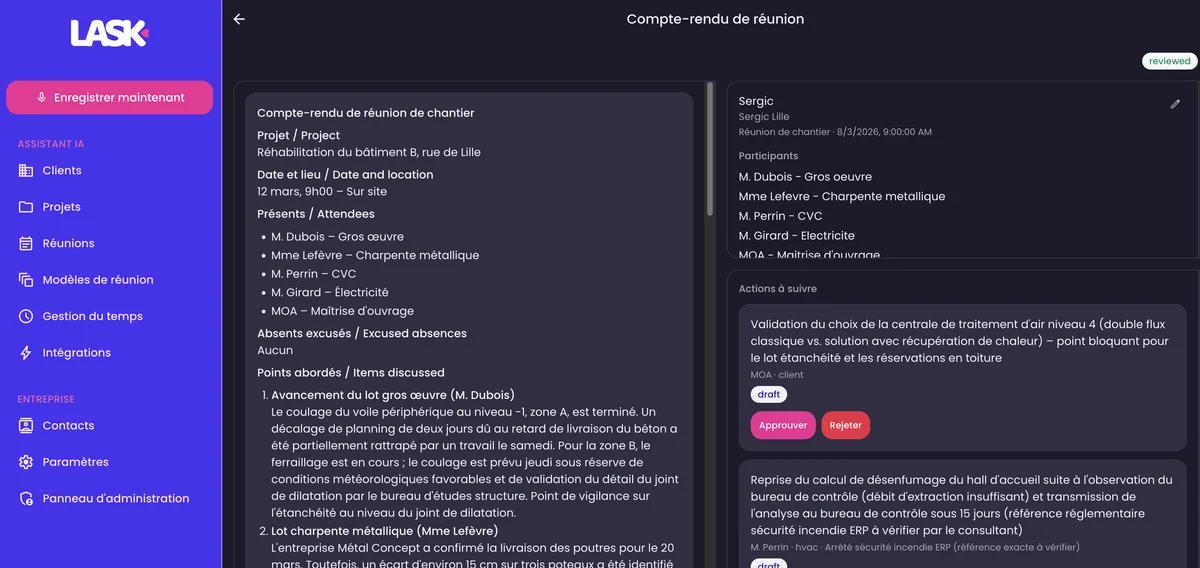
LASK records, transcribes & drafts
Once every attendee has consented, LASK transcribes the conversation and drafts a structured recap using your industry's template and your own custom context.
Review, edit, and it's done
Skim the draft, adjust anything that needs it, and the recap (plus every action item) is ready to share or push to your other tools.
Already using LASK


Made in Europe
Data protection isn't a checkbox we ticked once
LASK is built EU-first: from where your data can be processed, down to how a single recording gets deleted. Working toward ISO 27001 certification on top of what's already shipped below.


EU-sovereign by choice
Pick EU-based providers for both transcription and AI extraction instead of the US default, whenever data residency is non-negotiable.
Encrypted at rest
Recordings, transcripts, and recaps are encrypted in storage, not just protected in transit like a lot of "secure" tools stop at.
Consent enforced, not assumed
A meeting can’t be recorded until every invited attendee has consented: enforced by the API itself, with no override.
Automatic 30-day audio deletion
Raw recording audio is permanently deleted 30 days after the meeting by default. The recap and transcript stay; the audio doesn’t linger.
Your data, exportable on request
Admins can request a full export of everything an organization has stored, and any user can delete their own account at any time.
Every sensitive action, logged
Deletions, exports, and plan changes are recorded in an audit trail admins can review: accountability, not just a policy document.
FAQ
Frequently asked questions
The questions we actually get asked, answered straight, no sales call required.
Will our clients agree to be recorded?
LASK won't start recording until every invited attendee has explicitly consented: that's enforced in the product itself, not left to a settings checkbox. Processing can stay in the EU, raw audio is deleted automatically after 30 days, and every sensitive action is logged. In practice, "I'll record so you get an accurate recap today" is an easy ask, because your client is the one who benefits.
What if the AI gets something wrong in the recap?
Nothing gets sent automatically. Every draft is reviewed and approved by a person before it goes anywhere, and anything sensitive is flagged for human review rather than asserted outright. A draft built from the full transcript and checked by you in a few minutes is typically more accurate than notes reconstructed from memory afterwards.
We tried an AI notetaker before and the summaries were generic. What's different here?
That's a fair complaint about generic notetakers, and it's the gap LASK is built to close. Instead of one template for every meeting, LASK uses templates tuned to your industry, plus your own acronyms, client names, and jargon, taught once and applied to every recap after that.
Is LASK GDPR-compliant? Where is our data stored?
Yes. You can choose EU-based providers for both transcription and AI processing, data is encrypted at rest, raw audio is deleted after 30 days by default, every sensitive action is logged in an audit trail, and admins can export or delete an organization's data on request. A DPA is available for business customers.
Does LASK work for noisy, in-person meetings, not just video calls?
Yes, a phone or laptop microphone on the table works well for most in-person meetings. In a noisy room, a small external microphone makes a real difference. LASK isn't built for meetings held next to active machinery or during a walkabout, and nothing handles that well, so we won't pretend otherwise.
Does LASK handle French, Dutch, or mixed-language meetings?
French is fully supported: the interface, recap templates, and jargon glossaries are built in French, not translated from English. Mixed-language meetings work too, though very rapid code-switching between languages can reduce accuracy. You're welcome to test this on a real recording before deciding.
Does LASK integrate with the tools we already use?
Yes, Google Calendar, Outlook, Microsoft Teams, Slack, Notion, Google Drive, Dropbox, Monday, and Trello are all supported today, so recaps and action items land where your team already works.